How to Organize Your Home Office for Better Productivity
Start by evaluating your current workspace: clear surfaces, photograph clutter, and list daily vs rare items. Pick a quiet, well-lit spot and define zones for focused work, quick tasks, and references. Choose a stable desk and ergonomic chair, set screen height and microbreaks, and keep frequently used tools within arm’s reach. Use labeled bins, rotate supplies, add a low-maintenance plant, and schedule short weekly resets — keep going to learn practical layout, storage, and routine tweaks.
Assessing Your Current Workspace

Where do you start when your desk feels cluttered and chaotic?
You begin with a quick workspace assessment: clear surfaces, note tangled cables, and list items you use daily versus rarely.
Use a simple productivity evaluation—track tasks, distractions, and how long you spend searching for things over a day or two.
Ask what tools genuinely support your workflow and what’s just visual noise.
Photograph the area, prioritize fixes, then set a 20-minute action plan addressing high-impact changes first.
This focused review tells you what to keep, relocate, or discard so your home office starts working for you.
Choosing the Right Location in Your Home
Pick a quiet, low-traffic spot so you can focus without frequent interruptions.
Look for a space with good natural light and ventilation to keep you alert and comfortable.
These simple choices will make organizing and using your home office much easier.
Quiet, Low-Traffic Area
Although you might be tempted to set up shop in a sunny corner or the busiest room, choose a quiet, low-traffic area so you can focus and work without constant interruptions.
Pick a spot that fits your home office layout and keeps daily flow away from your desk. Position furniture to create a subtle barrier from hallways and communal spaces. Use rugs, bookshelves, or a screen for added noise control and to define boundaries.
Communicate boundaries to housemates and set predictable work hours so people know when not to disturb you. Consistent placement reduces distractions and boosts productive rhythm.
Natural Light & Ventilation
Because natural light affects your mood and focus, choose a spot that gets plenty of daytime sun while avoiding harsh glare on screens.
Position your desk near east- or south-facing windows for steady light; use sheer curtains or adjustable blinds to control brightness.
Natural light benefits include improved alertness and reduced eye strain, so balance exposure throughout the day.
Don’t ignore ventilation importance: pick a room with windows you can open or space for a quiet fan to circulate air.
Fresh air keeps you comfortable and prevents afternoon fatigue.
Test different orientations and airflow patterns to find the most productive location.
Defining Your Work Zone and Flow
When you design your work zone, map how tasks will flow from start to finish so everything you need is within reach and distractions are minimized.
Define zones for focused work, reference materials, and quick tasks; use flow strategies to sequence steps so you won’t hunt for tools. Keep traffic and noise patterns in mind, and set clear visual boundaries.
Decide where supplies, devices, and incoming items land to prevent interruptions. Establish routines that guide movement through the zone and adjust weekly.
- Clear task areas
- Essential reachables
- Distraction barriers
- Movement pathways
- Routine checkpoints
Selecting a Desk That Fits Your Needs
Which desk will let you work comfortably and efficiently all day? You’ll weigh desk styles and desk materials against space, storage, and tasks. Choose a surface depth for monitors and paperwork, and pick materials that match durability and aesthetics.
| Style | Material | Best for |
|---|---|---|
| Minimal | Solid wood | Focused work, warm look |
| L-shaped | Laminate | Corner setups, multitasking |
| Standing | Metal/glass | Active work, compact spaces |
| With drawers | Engineered wood | Organization, supply storage |
Measure clearance, cable routes, and lighting. Test stability and finish before buying to guarantee long-term productivity.
Ergonomic Chair and Posture Essentials
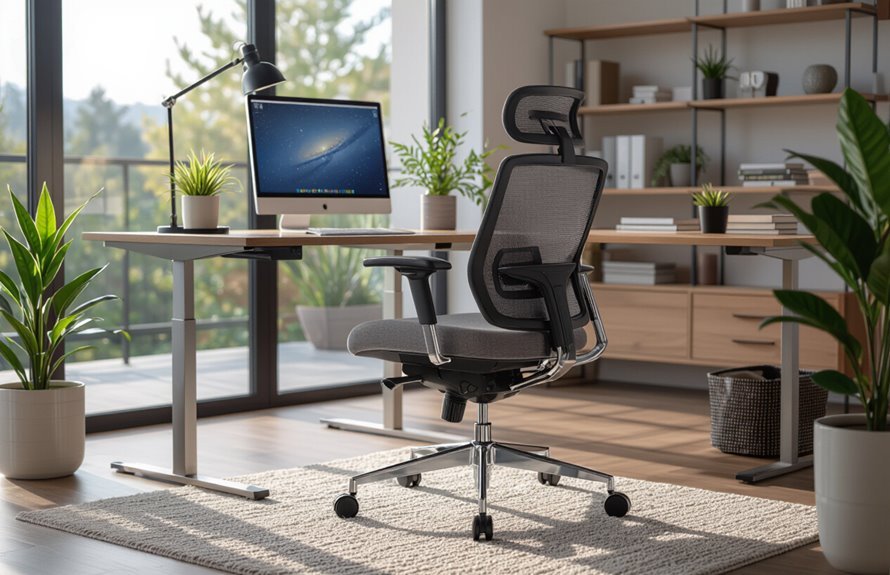
If you sit for hours, choose an ergonomic chair that supports natural posture and reduces strain on your neck, shoulders, and lower back.
You’ll pair that chair with simple habits and ergonomic accessories to keep posture alignment consistent.
Adjust seat height so feet rest flat, use lumbar support, and keep hips slightly higher than knees.
Take brief microbreaks to reset position and stretch shoulders.
Position armrests to avoid shrugging and keep wrists neutral while typing.
- Adjust seat height
- Use lumbar support
- Position armrests properly
- Keep feet flat
- Do short posture breaks
Optimizing Natural and Artificial Lighting
How can you make your home office bright without glare or eye strain? Balance natural and artificial light: use window treatments to soften daylight, position task lighting for focused work, and choose ambient lighting for even coverage. Mind light placement and light fixtures to avoid reflections. Select light color that suits tasks—cool for focus, warm for relaxation. Use light dimmers and light scheduling for flexible control and glare reduction. Combine multiple light sources and arrange them so shadows lessen. Keep setup adaptable; test angles and intensities until your workspace feels comfortable and productive.
| Source | Purpose | Control |
|---|---|---|
| Window | Daylight | Treatments |
| Desk lamp | Task lighting | Dimmers |
| Ceiling | Ambient lighting | Scheduling |
| Floor lamp | Fill light | Placement |
| Accent | Mood | Color |
Cable Management and Power Accessibility
Good lighting makes your desk usable, but messy cables and hard-to-reach outlets can wreck that comfort and slow your work.
You’ll want tidy cable organization and accessible power strips so you can plug, unplug, and move devices without fuss. Mount power strips under the desk, route cords along legs, and label each cable.
Use clips, sleeves, and Velcro ties to prevent tangles and keep airflow clear around adapters. Plan outlet access before arranging furniture to avoid stretching cords.
- Mount power strips under desk
- Label each cable
- Use clips and sleeves
- Bundle with Velcro ties
- Route along desk legs
Decluttering Strategies for Immediate Relief
Because clutter steals focus, start with quick wins you can finish in 10–15 minutes: clear your desktop, toss obvious trash, and gather loose papers into one labeled pile for later sorting.
Next, use the minimalist mindset: keep only items you use daily within reach and box bulkier or sentimental things for another day.
Set a 15-minute timer to handle one drawer or shelf; you’ll be surprised how momentum builds.
Label boxes “keep,” “donate,” and “recycle” to speed decisions.
Repeat short sessions daily until the room feels lighter. Those quick wins reduce overwhelm and restore focus fast.
Creating an Efficient Filing System
Once you’ve cleared immediate clutter, set up a simple filing system that you’ll actually use: pick a few broad categories (like Bills, Taxes, Projects, and Reference), assign one folder or drawer to each, and label them clearly so you can file items immediately instead of letting paperwork pile up.
Use label makers and color coding to boost file accessibility and a clear folder hierarchy. Decide on file retention rules, scan important receipts, and keep backups in digital folders.
Maintain paperwork organization by purging annually. Be consistent so document scanning, tidy folders, and quick retrieval become habitual.
- Establish categories
- Use color coding
- Apply label makers
- Schedule document scanning
- Review file retention
Digital Organization: File Naming and Backups
Your paper files are only one half of the system; your digital files need the same clear rules so you can find and restore documents quickly.
Use consistent file naming that includes date (YYYY-MM-DD), project, and version—e.g., 2025-12-15_ProjectName_v01.docx—so sorting and searching work predictably.
Organize folders by major categories, not every little task, and archive completed projects.
Automate backup strategies: use local backups plus a cloud service, and schedule regular full and incremental backups.
Test restores periodically. Keep one encrypted offsite copy for critical data.
Review and prune files quarterly to prevent clutter.
Storage Solutions: Shelves, Drawers, and Bins
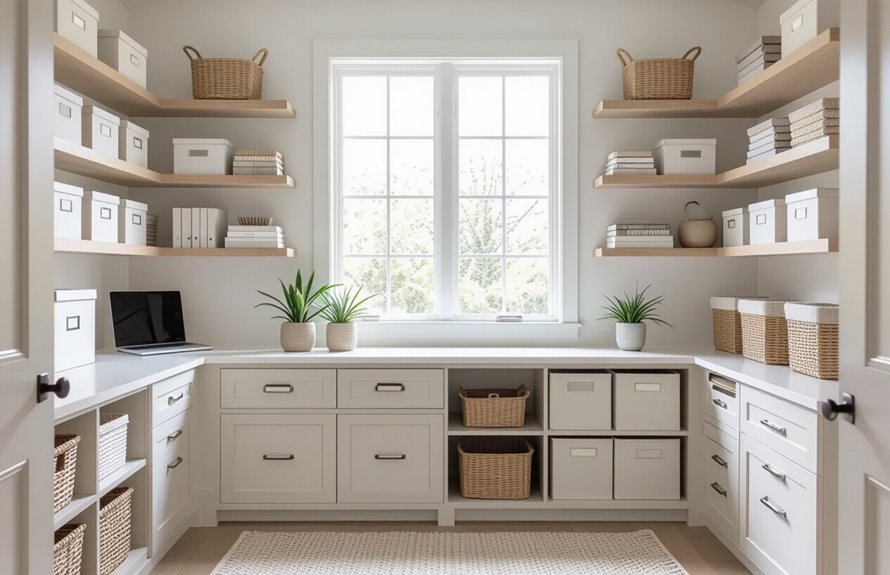
Start with adjustable open shelving so you can change heights for books, binders, or decorative baskets as your needs shift.
Use labeled drawer bins to keep small items sorted and easy to find.
These two solutions together free up desk space and cut down on time spent searching for things.
Adjustable Open Shelving
Adjustable open shelving gives you flexible, visible storage that adapts as your needs change, so you can keep frequently used items within reach and swap configurations without a remodel.
You’ll choose shelving styles that match your decor and make everything accessible. Use adjustable heights to fit books, boxes, or equipment. Arrange essentials at eye level, heavier items lower, and decorative or infrequent items higher. Keep surfaces uncluttered and rotate seasonal supplies.
- Place daily tools at arm’s reach
- Group related items together
- Use baskets for small supplies
- Leave breathing room between stacks
- Maintain a consistent visual rhythm
Labeled Drawer Bins
Labeled drawer bins give you compact, organized storage that keeps small supplies visible and easy to retrieve, so you can find pens, cables, and sticky notes without rifling through clutter.
You’ll assign labeled categories to each compartment—charging cords, writing tools, sticky pads—so items stay put and you won’t waste minutes searching.
Choose clear bins or add window labels for quick scanning, and group frequently used items near your workspace.
Integrate drawer bins into broader organizing systems by matching sizes to drawer depths and using dividers.
Regularly audit contents to remove duplicates and keep the system efficient and usable.
Organizing Office Supplies for Quick Access
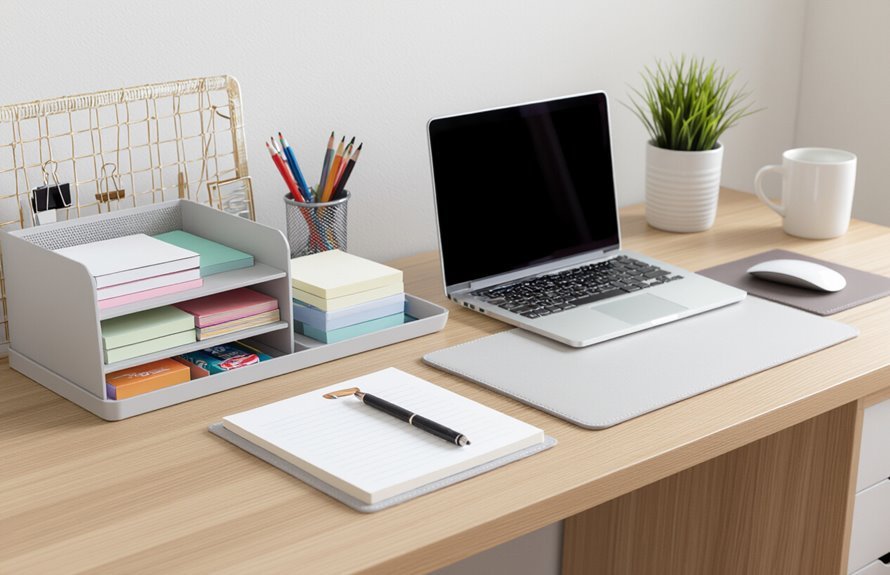
Think in zones: group items you reach for most—pens, notepads, sticky notes—within arm’s reach, and store less-used supplies like spare cables or envelopes in nearby drawers or shelves.
You’ll create efficient office supply storage and quick access solutions by assigning homes for each category, using clear containers and labeling.
Keep a small caddy on your desk for daily tools and use drawer dividers for scissors, clips, and chargers. Rotate bulk items to higher shelves.
Review placement after a week and tweak.
- Desk caddy for daily items
- Labeled drawer bins
- Clear acrylic trays
- Cable organizer pouch
- Vertical file sorter
Implementing Daily and Weekly Maintenance Routines
Because clutter creeps back fast if you don’t stay on top of it, set two simple routines: a five-minute daily reset and a 20–30 minute weekly deep tidy.
Each morning or end of day, use brief daily checklists to clear surfaces, file loose papers, empty the trash, and queue priorities.
For weekly reviews, tackle email folders, restock supplies, wipe surfaces, and update your task list.
Keep tools and bins labeled so maintenance stays quick.
Consistency makes upkeep effortless: stick to times, adjust items on your checklists as needs change, and treat these routines as nonnegotiable productivity habits.
Personalizing Without Sacrificing Function
You can make your office feel like yours without sacrificing efficiency by choosing functional personal touches like a favorite lamp, framed photos, or a meaningful plant.
Pick decor that serves a purpose or tucks away—think attractive storage boxes, a stylish bulletin board, or a slim shelf.
Keep surfaces clear and limit decorative items to a few intentional pieces so your space stays clutter-free and productive.
Functional Personal Touches
While keeping clear zones for work, add personal touches that boost comfort and focus so your office feels like yours without becoming cluttered or distracting.
You’ll choose items that serve a function and spark motivation—personal mementos tucked in drawers, a small lamp that doubles as mood lighting, or a cork square for creative inspiration.
Keep surfaces usable and rotate accents seasonally. Prioritize pieces with storage, soft textures, or sound control so comfort doesn’t cost efficiency.
- A framed photo with a slim stand
- A multifunctional desk tray
- A compact plant for air and calm
- A textured throw for posture
- A small whiteboard for ideas
Clutter-Free Decor Choices
Start with three decor pieces that serve a purpose—think a slim lamp, a tray with compartments, and a compact plant—so every accent earns its place without adding clutter. You’ll choose minimalist aesthetics and functional decor to keep the room calm and useful. Limit surfaces, pick neutral tones, and rotate sentimental items so nothing overwhelms. Use storage that doubles as display, and hang one meaningful print instead of many. Quick reference:
| Item | Purpose | Placement |
|---|---|---|
| Slim lamp | Task light | Desk corner |
| Tray | Organize small items | Near keyboard |
| Plant | Air + mood | Windowsill |
Noise Reduction and Privacy Techniques
Because ambient noise and interruptions chip away at focus, creating effective noise-reduction and privacy strategies is essential for a productive home office.
You’ll combine soundproofing techniques with simple habits: install acoustic panels, set up privacy screens, and use noise cancelling headphones or white noise machines when needed.
Establish clear work from home etiquette with household members, schedule short meditation breaks to reset, and practice distraction management by silencing notifications.
Keep solutions practical and adjustable so they fit changing needs.
- Acoustic panels for echoes
- Privacy screens for visual barriers
- Noise cancelling headphones
- White noise machines
- Scheduled meditation breaks
Managing Paperwork and Incoming Mail
Reducing noise and interruptions helps you handle tasks faster, but paperwork and incoming mail demand a different kind of control: clear pathways and quick decisions.
Create a simple inbox spot and digitize what you can; scan receipts and store them in labeled folders. Use paper management strategies like weekly triage: file, act, shred, or recycle.
Set up mail sorting systems with labeled trays for bills, action items, and archive, and process mail immediately — none of it should linger.
Purge regularly, keep a small shredder nearby, and schedule a short weekly session to maintain order and prevent backlog.
Setting Boundaries for Work-Life Separation
One clear boundary—both physical and temporal—helps you leave work at work and be fully present at home.
Define work hours, protect personal time, and practice boundaries setting so tasks stay inside the office space. Communicate expectations with roommates or kids, and schedule short shifts to change mindset. Use visual cues to mark the end of the day, and honor them.
- Close your door or pack away laptops
- Post daily work hours where household sees them
- Turn off work alerts after hours
- Share boundaries in family communication routines
- Create a short shutdown ritual
Time Management Tools and Desk Setup
When you combine the right time-management tools with a purposeful desk layout, you’ll cut distractions and get more done in less time.
Place essentials—monitor, keyboard, notepad—so your hands move naturally. Use productivity apps for task lists, timers, and calendar blocks; sync them across devices to keep focus.
Implement simple time tracking to spot deep-work windows and recurring interruptions. Keep cables tidy, lighting clear, and a single prioritized notebook within reach to avoid app overload.
Reserve one surface for current projects and another for reference materials. Review your setup weekly and tweak tools and placement to match workflow.
Incorporating Plants and Air Quality Improvements
Add a few low-maintenance plants like snake plants or pothos to brighten your space without extra work.
Keep windows or vents open when you can and consider a small HEPA purifier to cut dust and allergens.
Together they boost air quality and help you stay focused.
Choose Low-Maintenance Plants
Plants brighten your workspace and boost air quality without demanding constant care, so pick varieties that thrive on neglect. You’ll enjoy indoor gardening benefits without extra chores: choose hardy species, group pots for shared watering, use well-draining soil, and set simple reminders.
Focus on plant care basics so plants stay healthy and unobtrusive.
- Snake plant (low light, drought-tolerant)
- Pothos (fast-growing, forgiving)
- ZZ plant (survives neglect)
- Spider plant (easy propagation)
- Succulents (minimal watering)
Place plants where they get indirect light and wipe leaves occasionally to keep them dust-free.
Improve Ventilation and Purifiers
Because air circulation affects focus and health, prioritize ventilation and air purification in your home office so you breathe cleaner, fresher air while working.
Open windows when possible to encourage airflow optimization, and place a fan to direct stale air out.
Add an air purifier with a HEPA filter to reduce dust and allergens and monitor air quality with a simple sensor.
Use plants like snake plants and pothos to enhance your breathing space and absorb pollutants.
Maintain humidity control with a small humidifier or dehumidifier to keep levels comfortable.
Regularly clean vents and filters to sustain healthy ventilation.
Evaluating and Adjusting Your Setup Periodically
When your work habits or projects change, make a habit of checking your setup every few months to see what’s working and what isn’t.
You’ll do a quick workspace evaluation, note friction points, and plan setup adjustments that match current tasks. Schedule a short review, test ergonomics, and tweak tools or layout.
Ask yourself if lighting, storage, and tech support your flow, then act.
- Check ergonomics and comfort
- Assess cable and device organization
- Test lighting and screen positioning
- Reevaluate storage and decluttering needs
- Update software and backup routines
Conclusion
You’ve reshaped your workspace into a tool that helps — not hinders — your focus. Keep tweaking placement, lighting, and ergonomics until everything flows like clockwork. Set clear boundaries, use time tools, and let a few plants breathe life into the room. Reassess every few months and don’t be afraid to change what’s not working. With small, steady adjustments, your office will feel less like a chore and more like a productivity engine.